How to Redeem Dig Clean Codes
Shop code box steps for UPDATE1, SECRET10, and future Dig & Clean promos.
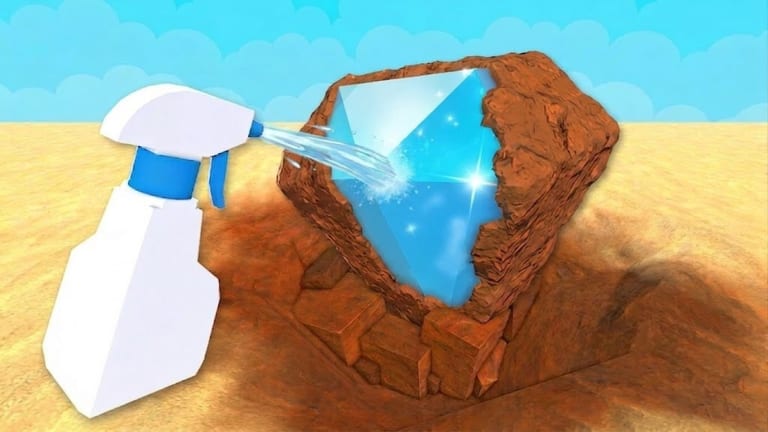
Learning how to redeem Dig Clean codes matters now that Update 1.0 shipped a real Shop code field. Dig & Clean (Dig Clean) follows the usual Roblox pattern: you redeem inside the live experience, not on a browser form that asks for your password.
Before you redeem
- Launch Dig & Clean on Roblox and fully load into a server.
- Confirm you are on Dig & Clean — not the unrelated game DIG (comparison guide).
- Finish the tutorial. The Shop code box stays locked until the starter prompts complete.
- Copy a working string from Active Dig Clean Codes (
UPDATE1orSECRET10as of this update). - Plan to dig immediately — Luck timers start on redeem and do not pause offline.
Dig Clean redeem steps (Update 1 Shop UI)
- Look at the left side of the HUD and open the Shop button.
- Scroll to the bottom of the Shop panel until you see a text field such as “Enter Code here…”.
- Paste the Dig Clean code exactly — no spaces before or after.
- Press the green Redeem button.
- Confirm a success toast or Luck buff on your character, then start detecting and digging.
If the code box is missing, rejoin a fresh public or private server. Some players report private servers receive UI fixes first. Recheck Updates if a patch moved the Shop layout.
Troubleshooting failed Dig Clean codes
| Symptom | Likely fix |
|---|---|
| Invalid / incorrect code | Wrong game, typo, or already expired — recheck Active |
| Already redeemed | Once per account; try the other active code |
| No Shop code box | Tutorial incomplete, or UI hidden — finish tutorial / rejoin |
| Nothing happens | Lag spike — wait, rejoin once, paste again |
| Works for friends only | You may be on an outdated server instance |
Mobile players should use the on-screen Shop button inside the Roblox app, not an external browser. Console players highlight the text field with the controller cursor. Device maps live in Dig Clean Controls.
Timing Dig Clean luck codes correctly
Redeeming is only half the skill. The other half is when you redeem:
- Equip your best detector first.
- Travel to your best unlocked island (Sphinx Sands when available).
- Free backpack space for rare digs.
- Then redeem
SECRET10for a 10-minute spike orUPDATE1for a 30-minute 2x window. - Dig high-tier glows immediately — see Luck Stacking and Omega Items.
Safety rules for Dig Clean codes
Never enter your Roblox password on a “code generator” website. Never download a random executable that claims to unlock Dig Clean Gold. This wiki lists codes and redeem steps only. Script automation is covered separately in Scripts with risk warnings.
After a successful Dig Clean redeem
Spend the Luck window on digs, not museum decorating. After the timer ends, route Gold with Progression and Upgrade Priority. Codes boost temporary odds; detectors, shovels, and spray bottles are permanent.
Related Dig Clean code pages
Dig Clean redeem UI hunt tips
If you cannot find the code box, open every Shop submenu once. Update 1 placed redeem near the bottom of Shop for most players. Increase UI scale on PC if buttons clip off-screen. On mobile, rotate to landscape if the left menu is cramped.
Dig Clean parental and shared accounts
On family accounts, confirm which profile owns Dig & Clean progress before redeeming. Codes attach to the active Roblox user, not the device. Redeeming SECRET10 on the wrong sibling account wastes the spike.
Dig Clean redeem checklist (print-friendly)
Tutorial done → correct game → Shop open → code pasted → Redeem clicked → Luck buff visible → detector equipped → island traveled → dig. Skip any step and you are gambling the timer.
Frequently Asked Questions
Quick answers to the most common Dig Clean questions.
Can I redeem Dig Clean codes on mobile?
Yes. Open Dig & Clean in the Roblox app, finish the tutorial, open Shop on the left, and paste carefully.
Why is there no code box in Dig Clean?
Finish the tutorial first. If it is still missing, rejoin a fresh server — Update 1 put the box in Shop.
Do I need a VPN or special link to redeem?
No. Redeem only inside the Dig & Clean Roblox experience.
Do Dig Clean codes work on private servers?
Usually yes — and private servers can help if a public instance has a buggy Shop UI.
Should I redeem before or after traveling to Sphinx Sands?
Travel first, then redeem, so the Luck timer overlaps your best dig spots.