Dig Clean Items Overview
From dirty dig to cleaned identity in Dig & Clean.
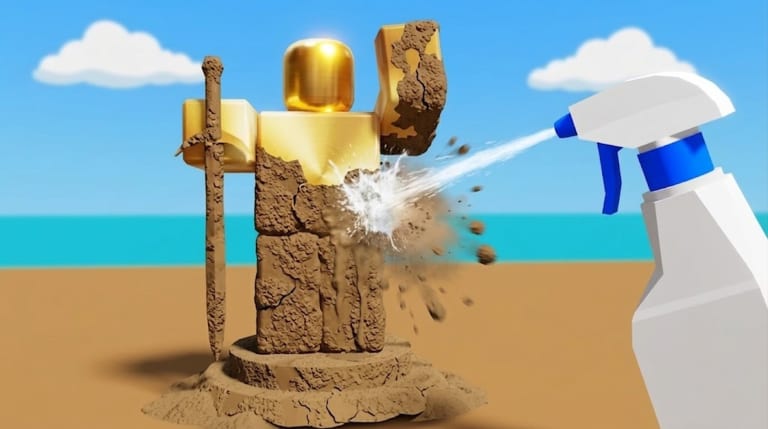
This Dig Clean items overview walks through the life cycle of a Dig & Clean find: buried and dirty, cleaned and identified, then sold or displayed. Understanding that lifecycle prevents the most common Dig Clean inventory mistakes.
Dig Clean item lifecycle
- Buried — the world hides junk and treasure underground.
- Dirty find — your shovel pulls an unclean object into inventory.
- Cleaning — spray bottle / workbench reveals the true item.
- Decision — sell, keep, or museum.
- Economy impact — cash becomes shovel and spray upgrades.
Official Dig & Clean messaging emphasises digging dirty junk and buried treasure, then spraying clean to discover what you got. This overview exists so that pitch becomes a practical Dig Clean habit.
Dig Clean inventory states
Treat dirty and clean as different states. A dirty slot is unfinished work. A clean slot is information. Players who sell dirty objects skip the Dig Clean fantasy and risk undervaluing rares. Always finish cleaning first.
Dig Clean item roles
- Fuel items — common junk that exists to buy tools
- Flex items — rares and oddities for the museum
- Utility holds — temporary keeps while you learn rarity (Rarity)
Dig Clean overview tips
- Sort after every clean batch, not at the end of a two-hour grind
- Compare keepers against Best Finds
- Fund tools with junk before chasing vanity
- Use Progression when shop choices overwhelm you
Dig Clean overview links inside Items
Continue with Item Rarity and Best Finds. Sibling pages in this section cross-link so Dig Clean collectors stay oriented.
Master this Dig Clean items overview and every reveal feels like a decision, not a mess.
Dig Clean dirty vs clean backpack audit
Once per session, count dirty slots versus clean slots. If dirty exceeds half your inventory, stop digging — you are hoarding unfinished work, not items.
Dig Clean item naming after reveal
Learn a few common names after cleaning so you recognize junk faster. Speed reading labels improves sell efficiency without risking rares — always verify rarity cues on borderline finds.
Dig Clean items and tool upgrades
Every junk sell feeds shovel and spray purchases. Track how many sells fund your next tier using the upgrade priority tool so items feel connected to power gains.
Dig Clean item mistakes on new accounts
New players often sell before cleaning or display dirty objects. Both skip the reveal fantasy Dig Clean is built around. Clean first, decide second.
Dig Clean item flow diagram in words
Dig produces opaque objects. Cleaning produces information. Information drives sell or museum decisions. Decisions produce cash or flex. Cash produces tool upgrades. Upgrades produce faster dig and clean cycles. That closed loop is the entire Dig Clean economy — items are not a side system.
Dig Clean overview for returning players
After a break, re-read this lifecycle before grinding. Memory of old junk names fades, and you may forget that dirty slots block new digs until you clean them down.
Dig Clean item session closing rule
Never log off with a half-full dirty backpack. Finish cleans or sell junk first so the next session starts clean.
Frequently Asked Questions
Quick answers to the most common Dig Clean questions.
What is a dirty find in Dig Clean?
An object you dug that has not been fully sprayed clean yet.
Can Dig Clean items be museum-ready while dirty?
Clean first so you know what you are displaying.
What are Dig Clean items mainly used for?
Cash for upgrades and showcase pieces for your museum.
Can I stack duplicate Dig Clean items?
Depends on inventory rules in-game — duplicates usually sell unless you are collecting sets for museum themes.
Should I keep unknown dirty Dig Clean items?
Keep a few if space allows, but prioritize cleaning over hoarding mystery dirt.