How to Clean in Dig Clean
Spray bottle and reveal techniques for Dig & Clean.
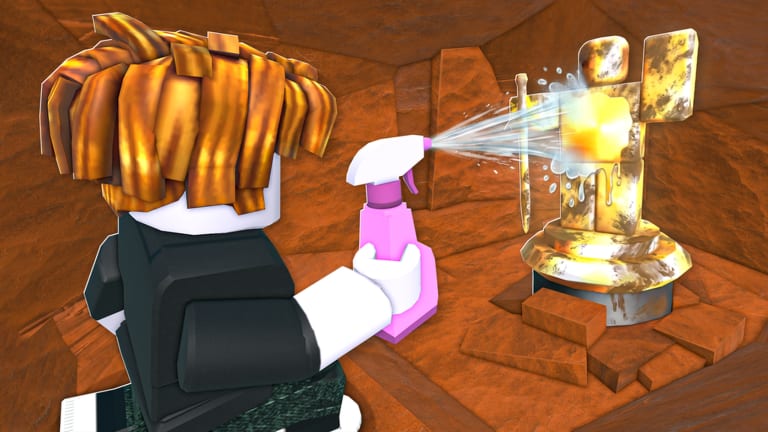
How to clean in Dig Clean is the payoff moment. Dig & Clean hides item identity under dirt until you spray and scrub. That reveal decides whether you just found junk cash or a museum centerpiece.
Dig Clean cleaning loop
- Dig dirty finds with your shovel (How to Dig).
- Move to the cleaning / workbench area when the game requires station cleaning.
- Equip the spray bottle.
- Spray and complete any scrub timing prompts until the item cleans.
- Read the reveal — then sell, keep, or museum-display.
Official Dig & Clean messaging centres this fantasy: spray dirty junk and buried treasure clean to discover what you got.
Why Dig Clean cleaning matters
Cleaning is not cosmetic fluff. Value, rarity, and museum eligibility become clear after the spray. Selling before a full clean risks misjudging worth. Efficient cleaners generate more upgrade cash per hour than diggers who ignore the spray bottle.
If cleaning feels slow, your spray bottle is the bottleneck. Compare options on the spray bottle tier list and plan purchases with the upgrade priority tool.
Dig Clean workbench and return flow
Community Dig Clean scripts often include “teleport to workbench,” “scrub time before finishing,” and “return after cleaning.” Those features map to a real manual rhythm: dig out in the field, clean at a station, then return to dig spots. Manual players should learn the same route without automation.
Keep a mental cycle: dig batch → clean batch → sort inventory → dig again. That cycle is the Dig Clean heartbeat.
Dig Clean spray technique tips
- Finish the clean fully — partial sprays can leave identity hidden.
- Do not start a huge dig session if your spray bottle is outdated.
- On mobile, give the spray button full thumb space.
- On PC, keep spray on an easy hotkey (see PC Controls).
- After a rare reveal, tag it mentally for the museum checklist.
Instant clean scripts vs skill
Instant clean hubs exist in the Dig Clean script scene and are covered on Auto Clean Scripts. Instant clean removes the satisfaction and may risk your account. If you are learning Dig Clean, master manual cleaning first so you understand what automation is skipping.
Sorting after Dig Clean reveals
- Common junk → sell for shovel/spray cash
- Interesting mid rares → keep until you know museum needs
- Top-tier finds → museum guide placement
- Duplicates → sell unless a future update needs stacks
For rarity vocabulary, use Item Rarity in Dig Clean and Best Finds.
Related Dig Clean cleaning pages
Return to How to Play, then push into Rare Items once cleaning feels automatic. Clean sessions are where Dig Clean becomes addictive.
Dig Clean cleaning station etiquette on busy servers
On populated servers, clean in compact batches near the workbench instead of hauling huge inventories across the map. Less travel means more reveals per hour.
Dig Clean partial clean warning signs
If an item still looks muddy or lacks a rarity label, keep spraying. Partial cleans are the main reason players sell valuable finds by mistake.
Dig Clean clean-batch sizing
Match clean batch size to your spray tier: starter bottles handle small batches, upgraded bottles earn larger streaks before you must sort inventory.
Frequently Asked Questions
Quick answers to the most common Dig Clean questions.
Where do I clean items in Dig Clean?
Use your spray bottle and any workbench/cleaning station the experience provides after digging dirty finds.
Why should I clean before selling in Dig Clean?
Cleaning reveals identity and value. Selling blind wastes rare museum candidates.
What does a better spray bottle do in Dig Clean?
It speeds or improves the cleaning/reveal step so you process more finds per hour.
Can I clean Dig Clean items anywhere?
Some builds allow field spray; others require a workbench — follow in-game prompts until the reveal completes.