Dig Clean Common Mistakes
Fix the habits that stall Dig & Clean sessions before they start.
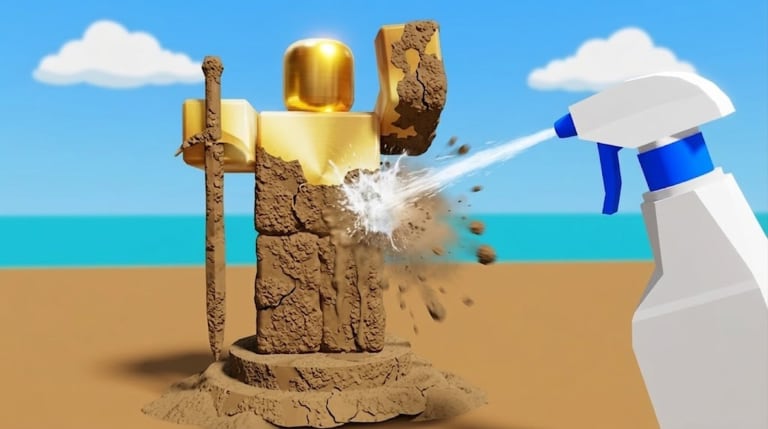
Most slow Dig Clean starts are not “bad RNG.” They are repeatable mistakes: digging until the backpack is all dirty junk, upgrading the wrong tool, redeeming DIG codes, or stuffing the museum with commons. This page lists the failures Dig & Clean players actually make — and the fix for each.
Mistake 1 — Digging past a dirty backpack
If every slot is unclean, dig speed is wasted. Pause digging, finish spray cleans, then resume. Details live in How to Clean Dig Clean Finds. A full dirty backpack is a cleaning problem, not a shovel problem.
Mistake 2 — Upgrading shovel when spray is the bottleneck
Players buy the next shovel because it looks cooler, then still hate cleaning. Run the upgrade priority tool and read Progression. Dig Clean wants twin tools — shovel and spray bottle — in balance.
Mistake 3 — Redeeming DIG codes inside Dig Clean
Wrong-game codes fail silently or confuse new players. Read Dig Clean vs DIG and only use Active Dig Clean Codes. Empty Active tables are honest — inventing DIG strings does not help Dig & Clean.
Mistake 4 — Judging rarity before a full clean
Dirty finds hide identity. Never sell or museum-slot an object until spray reveal finishes. Items overview and Rarity explain why early mis-sells hurt.
Mistake 5 — Museum as a junk drawer
Displaying every common wastes shelf storytelling. Keep standout rares; sell duplicates for upgrade cash. Use the museum guide and museum checklist tool.
Mistake 6 — Ignoring device controls
Blaming drops when mobile spray UI is mis-tapped wastes hours. Skim PC, Mobile, or Console controls before grinding rare routes.
Mistake 7 — Scripts before the manual loop
Auto dig / instant clean can break after patches and may violate Roblox rules. Learn How to Play first; only then read Scripts with risk notes.
Mistake 8 — Rushing islands underpowered
Leaving the starter dig pool with a weak spray bottle fills bags with unidentified junk. Follow Islands only after dig and clean feel comfortable.
Recovery plan after a bad Dig Clean hour
- Empty/clean the backpack completely.
- Sell obvious junk; keep one or two trophy candidates.
- Buy the cheaper bottleneck upgrade (shovel or spray).
- Play one short dig→clean→sort loop without scripts.
- Recheck Updates if the Shop looks different today.
Dig Clean habits that replace mistakes
- Clean before evaluating.
- Upgrade the true bottleneck.
- Verify game identity before codes.
- Museum with intention.
- Treat scripts as optional risk, not a tutorial.
Fix one mistake per session. Dig Clean becomes fun again when the loop stays readable.
Dig Clean mistake triage after a bad night
Write down which mistake fired most: dirty backpack, wrong upgrade, wrong-game codes, pre-clean selling, museum clutter, controls, scripts-too-soon, or early islands. Fix only that one tomorrow. Dig Clean improves fastest when you change a single habit instead of rewriting your whole plan.
Dig Clean accountability with friends
If you play with friends, compare museums and tool tiers once a week — not code lists from random Discords. Friends who push DIG codes into Dig Clean chats are usually confused, not malicious. Send them Dig Clean vs DIG and keep your session focused on spray reveals.
Frequently Asked Questions
Quick answers to the most common Dig Clean questions.
What is the #1 Dig Clean beginner mistake?
Digging until the backpack is full of dirty finds instead of cleaning first.
Why do Dig Clean code redeems fail?
Often the string is for DIG, not Dig & Clean — or no Dig Clean codes are active.
Should I always upgrade shovel first in Dig Clean?
No. Upgrade whichever tool is slowing your loop — often spray bottle early.
Can scripts fix Dig Clean mistakes?
They can automate bad habits too. Learn the manual loop first.
How do I unclutter a Dig Clean museum?
Sell commons and duplicates, keep thematic rares, and use the museum checklist tool.